How to use Google Nano Banana Pro to create images: A step-by-step guide
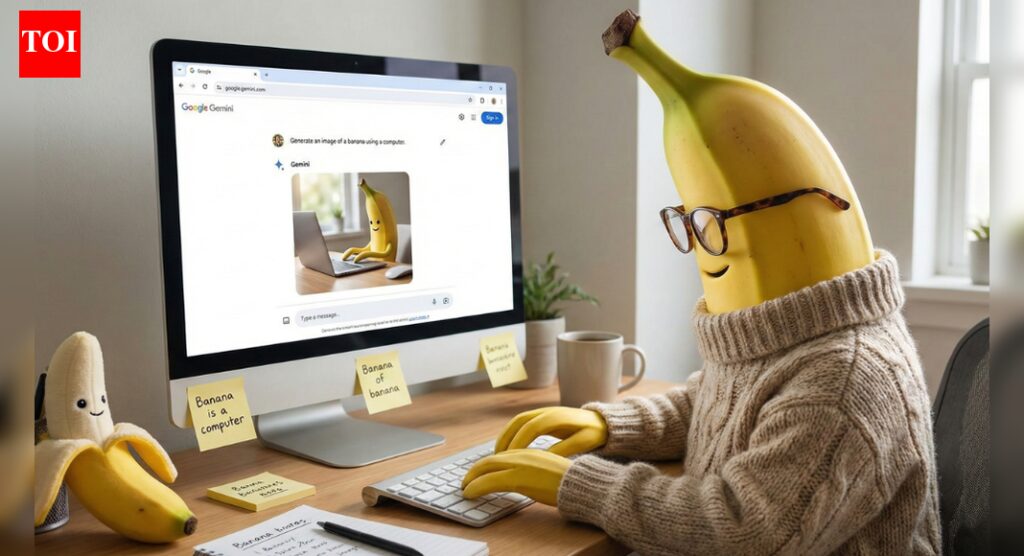
Google‘s newest image generation model, Nano Banana Pro, transforms simple text prompts into studio-quality visuals with accurate text rendering, advanced editing controls, and resolutions up to 4K. Built on the Gemini 3 Pro foundation, the model is available across Google’s product suite, offering professionals and creators unprecedented control over AI-generated imagery—from detailed infographics to photorealistic scenes with multiple characters.
What you need to get started
Access to Nano Banana Pro requires meeting specific criteria:
Subscription requirements:
- Google AI Plus, Pro, or Ultra subscription (higher usage limits)
Google Workspace Business Standard/Plus or Enterprise Standard/Plus- Must be 18 years or older
- Available in:
Gemini app , NotebookLM, Google Slides, Vids, AI Studio, and Vertex AI
Free tier options:
- Limited generations available before reverting to standard Nano Banana
- Lower priority during peak usage
- No access to 4K resolution or advanced features
Where to access Nano Banana Pro:
- Consumers: Gemini app, NotebookLM
- Workspace users: Google Slides, Vids
- Developers: Gemini API, Google AI Studio, Vertex AI
- Advertisers:
Google Ads (rolling out globally) - Creatives: Flow filmmaking tool (AI Ultra subscribers)
Resolution options:
- 1K for web previews
- 2K for social media and presentations
- 4K for print and professional use
Creating images using Nano Banana Pro: A step-by-step guide
- Open the Gemini app and click “Create images”
- Select “Thinking” from the model dropdown menu
- Write your prompt including these elements:
- Subject: “A stoic robot barista with glowing blue optics”
- Composition: “Medium shot, low angle”
- Action: “Pouring steamed milk into a cup”
- Setting: “Futuristic café interior with neon lighting”
- Style: “Cinematic, photorealistic, muted teal color grading”
- For text in images, specify exactly what should appear: “Display ‘MORNING BREW’ in bold sans-serif font at top”
- Generate and refine using follow-up prompts
All images include SynthID watermarking for AI verification—upload any image to Gemini to check if it was AI-generated.
Advanced prompting techniques for Nano Banana Pro:
Add professional details for better results:
- Aspect ratio: “Create a 16:9 horizontal poster” or “9:16 vertical for mobile”
- Camera specifics: “Shallow depth of field (f/1.8), golden hour backlighting”
- Text integration: “Headline ‘URBAN EXPLORER’ rendered in white Helvetica, centered”
- Multiple references: “Use Image A for character pose, Image B for art style, Image C for background”
Real-World Knowledge features:
Nano Banana Pro connects to Google Search for current information:
- Generate recipe infographics with actual cooking steps
- Create weather visualizations with real-time data
- Design educational diagrams with factual accuracy
- Translate and localise content into multiple languages
Use Nano Banana Pro to edit images:
- Lighting adjustments: Upload an image and prompt “Turn this scene into nighttime” or “Add golden hour lighting”
- Focus changes: “Blur the background, focus on the flowers in foreground”
- Aspect ratio conversion: “Change to 1:1 for Instagram while keeping subject centered”
- Color grading: “Apply cinematic teal and orange color grade”
Use Nano Banana Pro to blend multiple elements:
Combine up to 14 images while maintaining consistency:
- Place 5 characters together in new scenes
- Merge product shots with lifestyle backgrounds
- Apply brand styling across mockups
- Transform sketches into photorealistic renders
What are the current limitations of Nano Banana Pro
Understanding limitations helps set realistic expectations:
- Small text and fine details may render incorrectly
- Spelling accuracy not guaranteed—always proofread
- Data-driven visuals (charts, diagrams) require fact-checking
- Multilingual text may contain grammar errors
- Complex lighting changes can create visual artifacts
- Character consistency varies across multiple edits
How to overcome limitations of Nano Banana Pro
- Generate multiple variations of important images
- Verify all factual content independently
- Use simple, direct prompts for text-heavy images
- Test translations with native speakers
- Keep complex edits to 2-3 changes per generation