Google Photos gets Nano Banana and AI templates: Here’s how you can edit and search images
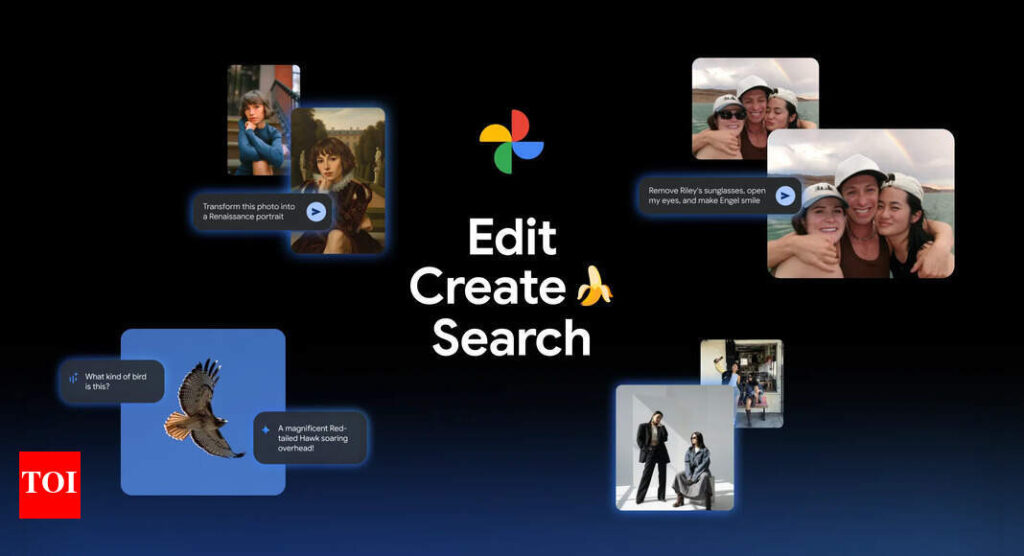
Google Photos is rolling out a new and major update powered by Google’s Gemini AI model. With the latest update Google brings the popular Nano Banana image engine and a suit of AI-powered editing templates to Google Photos. The company claims that the update aims to make photo editing faster, smarter and more creative. “AI features in Google Photos already help you do more with your memories: Edit photos with a simple ask, get creative and reimagine images in new styles, search and ask complex questions and so much more. And now, we’re improving our AI-powered tools and adding new ones — including multiple features powered by Gemini’s top-rated image editing model, Nano Banana. Check out these six new ways you can use AI to edit, create and search in Google Photos,” said Google in a blog post.
Nano Banana: AI editing with natural language
At the heart of the update is Nano Banana, Google’s advanced image-editing model that allows users to transform and fix photos using simple prompts. With the new “Help me edit” button, users can request changes like:* “Remove sunglasses”* “Open Riley’s eyes”* “Make Engel smile”* “Soften motion blur”Nano Banana uses face group recognition to apply edits to the correct person, and it’s designed to work seamlessly across Android and iOS devices.
Edit your photos by simply asking
Along with the introducing of Nano Banana, Google has also started rolling out an editing feature of iOS users in the US. Users just need to simply describe the edits they want to make by using their voice or text. “We’re also bringing the redesigned photo editor to iOS, so you can edit via simple gestures, one-tap suggestions and now, natural language,” said Google.
Transform your images with Nano Banana
Google has also introduced a new “Create with AI” section under the Photos app’s Create tab. “To help, we’re adding a new Create with AI section featuring ready-made AI templates to the Create tab on Android in the U.S. and India starting this week. These new templates are powered by Nano Banana and will help you create images instantly based on popular edits, like “put me in a high fashion photoshoot,” “create a professional headshot” or “put me in a winter holiday card,” added Google.The update also expands the Ask Photos feature, allowing users to search their photo library using conversational queries.The new features are rolling out in stages, starting in the US, India, and other regions.