Google Flights ‘secret’ to get deals on Hotels and Flights this Holiday season

How to find cheaper flights with Google Flights
The process starts by going to the Google Flights website and entering your departure city. Now, the trick begins: do not type your destination into the ‘Destination’ field. Instead, you can just leave it blank or choose the ones suggested by the page, either as places or on the interactive world map. You could also insert travel dates, but that’s optional for this trick.First, select the travel option that applies: a return ticket, a one-way ticket, or a multi-city option. Customise your search using the provided filters: stops, preferred airlines, and other criteria based on your preferences.Once you fill in these details, click the “Explore” button. This opens an interactive map that shows, among other things, the lowest flight ticket prices for several destinations from your starting location, including both domestic and international routes.
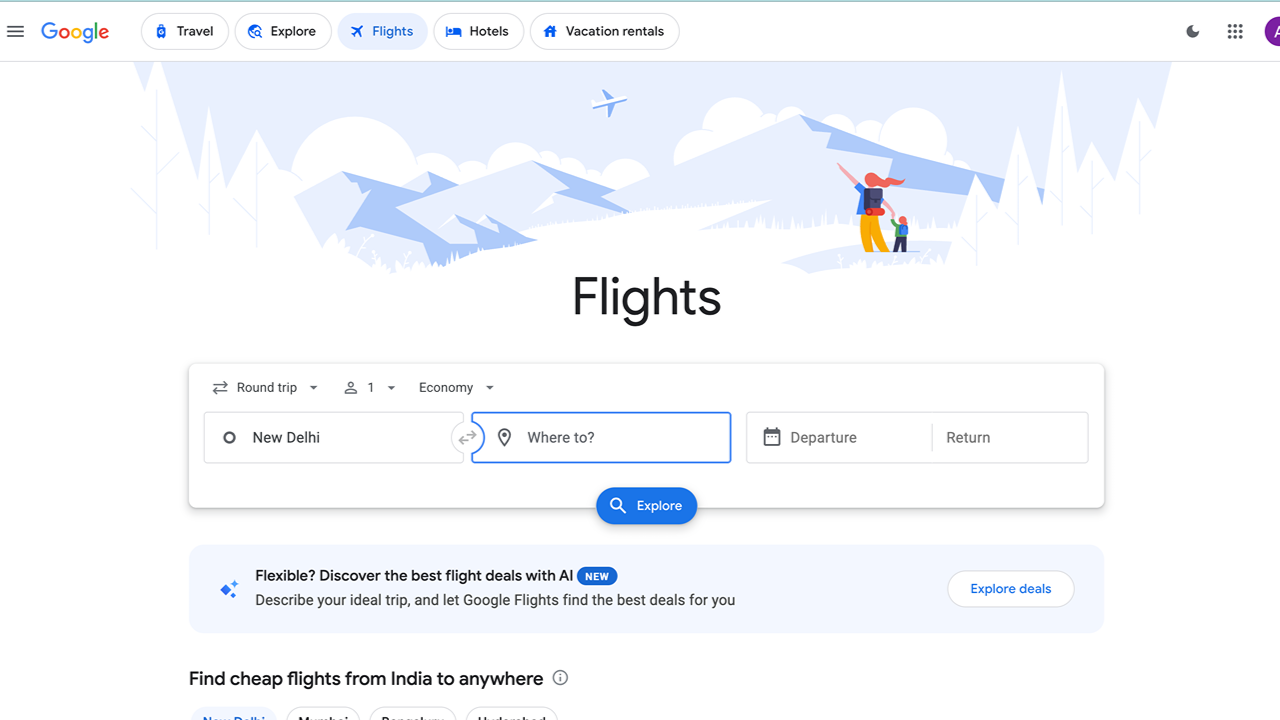
Browse the options, compare prices, choose your destination and travel dates, then select your ticket and proceed with booking. Using this approach will increase your probability of getting one of the cheapest flight tickets available to your destination by a long shot.
How to find hotel deals using Google Flights
The platform also helps find accommodation deals. Click the “Hotels” option from the available filters at the top of the page. Enter your destination and click the Explore tab to begin your search.On the left, the site will list hotels; on the right, an interactive map will appear, showing price indications. This is where Google Flights will now introduce filtering options for your search results, including star rating, price range, and guest review score, to make it easier to find accommodation that suits your preferences and budget.
Essential things to remember while using Google Flights
The foremost thing to remember is that Google Flights is merely an aggregator and does not have a direct booking facility. It gives you estimated prices and then redirects you to different travel sites to book your reservation. You will not be able to finalise hotel or flight bookings directly on Google Flights.Of course, flexibility is key in this approach. Being open to different destinations provides you with a wide range of affordable options. Similarly, being open with dates is helpful, as Google Flights shows the lowest prices over various date ranges. For instance, when picking a location on the map, watch for messages like “Prices are currently low — Rs xxxx cheaper than usual for your search.” That indicates you’re seeing one of the lowest available prices for that destination, so you can make informed booking decisions this holiday season.